
Task 0
Software Installation in Ubuntu 22.04 and Ubuntu 24.04
This document contains instructions to install following software/libraries on Ubuntu OS:
- CopelliaSim
- Visual Studio Code (optional but highly recommended)
1. Installation of CoppeliaSim
For Ubuntu 22
-
Download CoppeliaSim_Edu_V4_10_0_rev0 for Ubuntu 22.04 64-bit OS from here (file size - 219.10MB). It will download as .tar.xz (compressed zip) file.
-
Open Terminal and navigate to the directory where this file was downloaded. Run the following command:
tar -xf CoppeliaSim_Edu_V4_10_0_rev0_Ubuntu22_04.tar.xzThis command will decompress and extract the CoppeliaSim software to the folder named CoppeliaSim_Edu_V4_10_0_rev0_Ubuntu22_04 in the same directory.
-
Now type the below commands in sequence to launch CoppeliaSim.
cd CoppeliaSim_Edu_V4_10_0_rev0_Ubuntu22_04./coppeliaSim.sh
For Ubuntu 24
-
Download CoppeliaSim_Edu_V4_10_0_rev0 for Ubuntu 24.04 64-bit OS from here (file size - 245MB). It will download as .tar.xz (compressed zip) file.
-
Open Terminal and navigate to the directory where this file was downloaded. Run the following command:
tar -xf CoppeliaSim_Edu_V4_10_0_rev0_Ubuntu24_04.tar.xzThis command will decompress and extract the CoppeliaSim software to the folder named CoppeliaSim_Edu_V4_10_0_rev0_Ubuntu24_04 in the same directory.
-
Now type the below commands in sequence to launch CoppeliaSim.
cd CoppeliaSim_Edu_V4_10_0_rev0_Ubuntu24_04./coppeliaSim.sh -
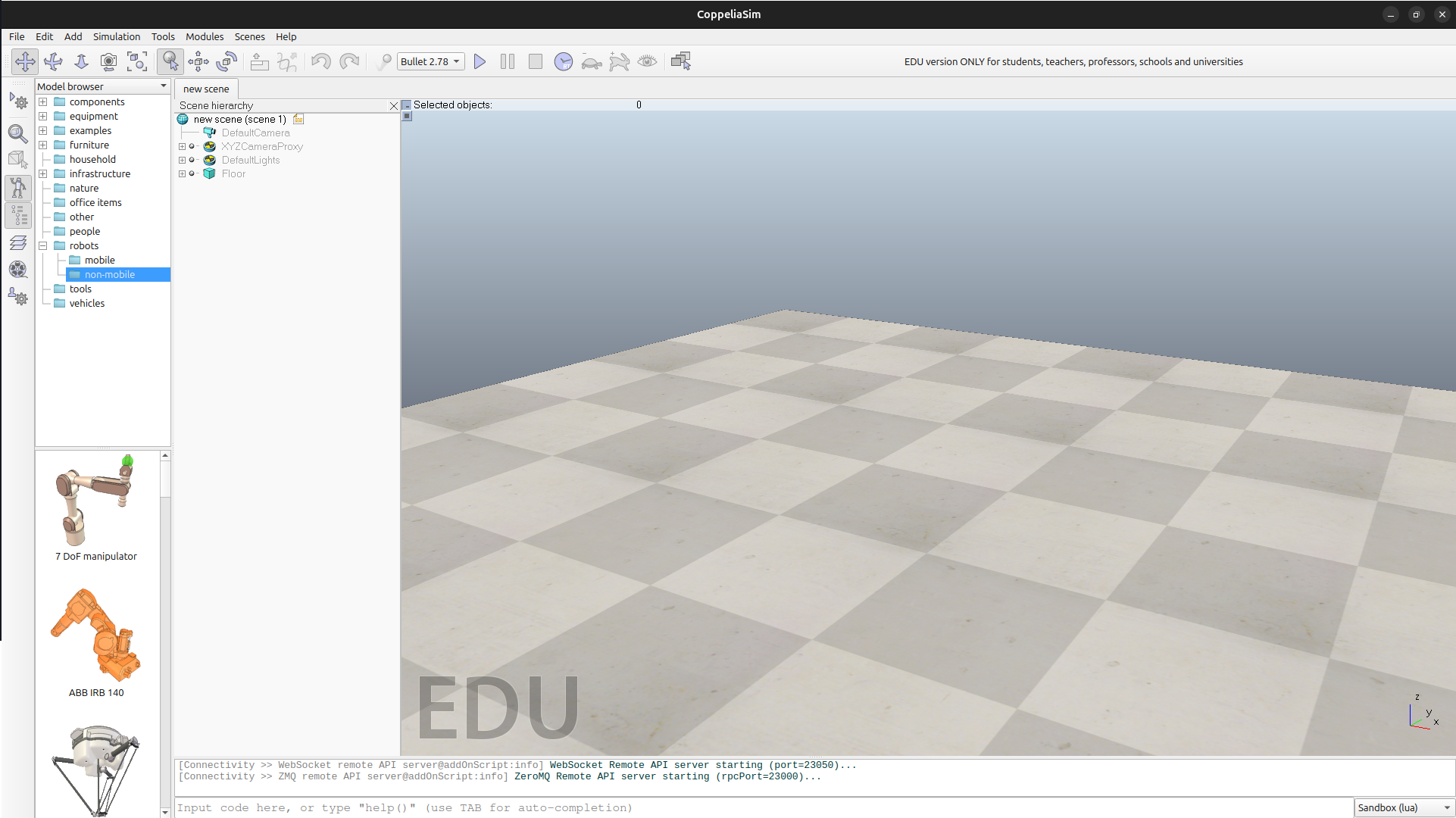
You will see the output as shown in Figure 1. CoppeliaSim will open with the default scene loaded.
2. Visual Studio Code (optional but highly recommended)
- The below steps will increase your programming efficiency.
- Programmers spend a lot of time looking at documentation, re-factoring code, debugging issues, unit testing and styling code.
- What if you get a helping hand at this so that your code looks beautiful and you could debug issues faster? Read further to know more. Don't worry!
- Since using tooling may be a new thing to most of you it may look difficult but none of this is difficult. It's actually rather very very easy and you will become a better programmer the earlier you master these tools.
- Download a Text Editor. We recommend Visual Studio Code.
- Set up VS Code for C++ and Python: Install the Python and C/C++ extension in VS Code.This will setup all the tools necessary for easy editing, running and testing Upcoming Taks.