
Task 0
Bonus Task : Square Path Challenge
Problem Statement:
- Make the
botin CoppeliaSim follow a perfect square path, starting and stopping at the same spot such that the robot traces a square and ends where it began. - Use the Files from below and Follow Perfect Square.
Prerequistes:
- Use the 3.1) CoppeliaSim guide from the Learn section to get comfortable with the interface, and set up the Python remote API before attempting the upcoming Taks.
Setup
- Download the provided files from the Drive Link:
- Drive Link : Task0_files
.tttscene file (CoppeliaSim environment with square path)bridge.exe / bridge(Python file for communication between your Code and CoppeliaSim)(.exe for Windows and File without Extension For ubuntu.)- Boilerplate
task0.pyfile (where you'll write your logic)
Steps to Start the task
-
Open CoppeliaSim and load the provided
.tttscene file -
Run the bridge in a separate terminal:
./bridge.exeOR
./bridge -
Write your square path logic in the provided
task0.pyfile inside thecontrol_loop()function. This is the only function you need to edit, all your movement and turning logic should go inside this function. -
Run your Python program:
python task0.py
Success looks like
- Robot starts at a corner, moves forward one side length, turns 90°, repeats 4 times.
- Robot stops exactly where it started (closing the loop).
- Smooth motion, no sudden jumps.
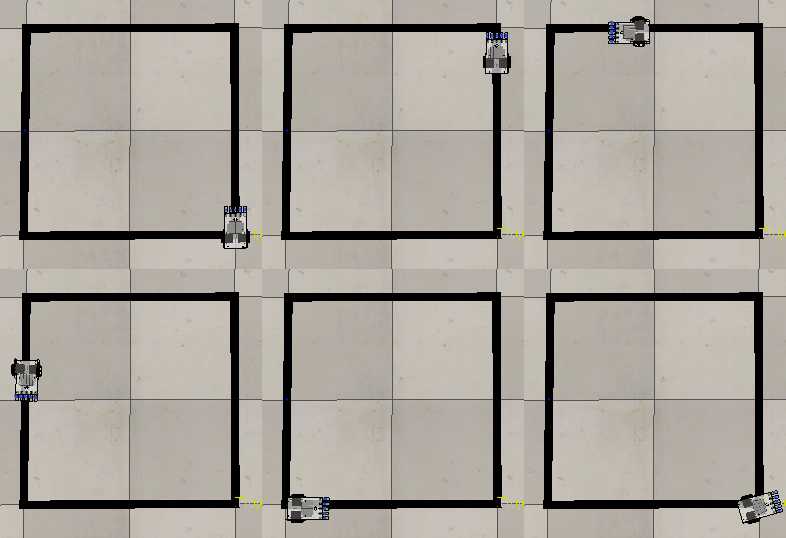
Figure 1: Sample Output
Great, now you are very familiar with CoppeliaSim!